
AI-Augmented Engineering: How We Actually Build Software With LLMs
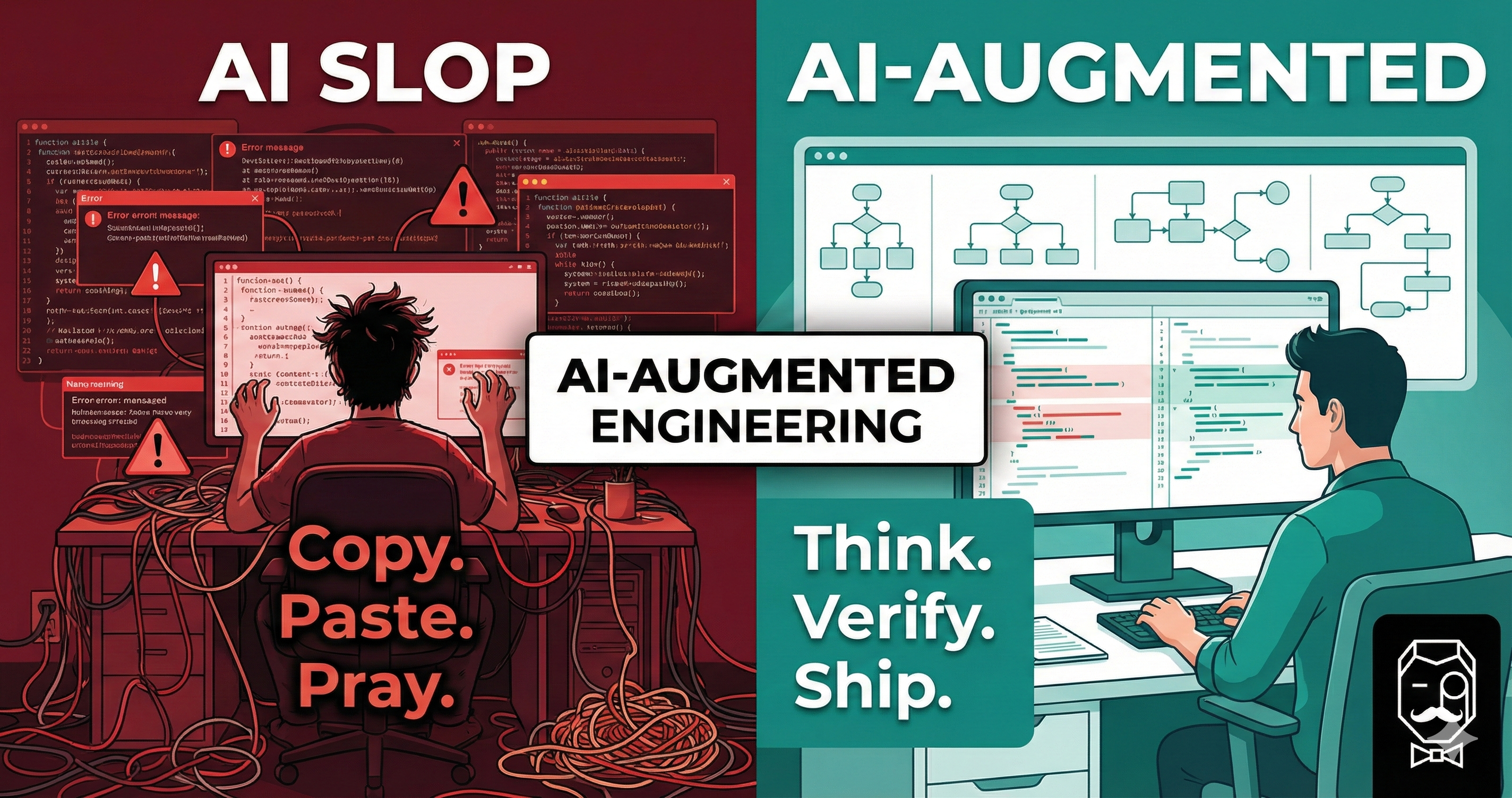
There is a narrative floating around tech that AI will “replace programmers.” We think that framing is wrong — and dangerous. At Life Butler, we use large language models every single day, and what we’ve learned is simple: AI is an amplifier. It makes a good engineer faster and a careless one more dangerous.
This post is a candid look at how we work with LLMs on real production code: our workflow, the guardrails we set up, the mistakes we’ve made, and why we believe the human in the loop isn’t just important — it’s everything.
The Accountability Principle
Before we get into tooling and workflows, we need to establish the foundational rule we operate by:
Every line of code that ships is owned by a human. The LLM is a tool. You don’t blame the hammer when a house falls down — you hold the builder accountable.
This isn’t a philosophical stance — it’s a practical one. When an AI generates code, someone still has to:
Understand
what it does and why
Verify
it solves the right problem
Test
against edge cases
Maintain
it when requirements change
Debug
it at 2 AM in production
If you can’t do all five, you have no business shipping that code — regardless of who (or what) wrote it.
The Competence Boundary
There’s a rule I follow that keeps me honest: I only let the AI work on something I could build myself.
That doesn’t mean I’d be as fast. A feature that takes me an afternoon with AI might take me three days on my own. That’s the whole point — the speed multiplier is real. But the knowledge gap cannot exist. If I don’t understand the technology, the pattern, or the domain well enough to build it from scratch, then I have no business letting an AI generate it for me, because I won’t be able to tell good output from bad.
AI compresses the time, not the skill. A three-day task done in an afternoon is a win. A task you couldn’t do at all, done by pasting prompts until something compiles, is a liability.
This leads directly to a second rule: I never commit code I couldn’t review.
Every commit I push, I read the diff. Every function, every conditional, every edge case. Yes, I use the AI to help me review — it’s great at catching things I might miss, suggesting better names, or spotting a missed null check. But the AI is a second pair of eyes, not the first. If I can’t look at a piece of code and explain what it does, why it’s correct, and what could go wrong — it doesn’t ship.
This is the difference between augmentation and abdication. An augmented engineer uses AI to move faster through territory they already know. Someone producing slop uses AI to wander through territory they’ve never mapped, hoping the output happens to be correct.
The Competence Boundary
Inside your competence
“I could build this myself in 3 days. AI helps me do it in 3 hours.”
✓ You can review every line
✓ You can debug it when it breaks
✓ You can explain it to a colleague
Outside your competence
“I have no idea how this works, but the AI gave me something that compiles.”
✗ You can’t tell if it’s correct
✗ You can’t fix it when it breaks
✗ You’re shipping hope, not software
Our AI-Augmented Workflow
We’ve iterated on this workflow over many months of building Life Butler’s backend, iOS app, and infrastructure. Here’s how a typical feature goes from idea to production:
AI-Augmented Development Workflow
1. Think & Specify
Human defines the problem, acceptance criteria, and constraints
2. Design & Plan
Human architects the solution; AI helps explore trade-offs
3. Implement
AI generates code from clear specifications; human steers
4. Review & Understand
Human reads every line, questions everything, refactors
5. Test
Human writes test cases; AI helps with boilerplate and edge cases
6. Integrate & Ship
Human runs CI/CD, checks logs, validates in staging
Notice the pattern
The human does the thinking, specifying, reviewing, and deciding.
The AI accelerates the mechanical parts — scaffolding, boilerplate, exploration of options.
No step is fully delegated. Even when the AI is generating code, the human is steering with context, corrections, and constraints.
Two Developers, Same Tools, Different Outcomes
The difference between “AI-augmented engineering” and “AI slop” isn’t the model — it’s the person using it. Let’s walk through a typical day for each.
The “AI Slop” Developer
- 09:00Pastes a vague prompt: “make a login page.” Has never built an auth flow before. Doesn’t check if this is within their competence.
- 09:05Copies 200 lines straight into the project. Doesn’t read the diff. Couldn’t review it if they tried.
- 09:10It doesn’t compile. Pastes the error back into the LLM.
- 09:20Repeat error-paste cycle four times. No idea what the code does. Each fix introduces new code they don’t understand.
- 10:00It runs! Commits everything in one big blob. No tests. No review. No understanding. Moves on.
- 14:00Security vulnerability discovered. Passwords stored in plaintext. “But the AI wrote it…”
- 15:00Can’t fix it — the code was never within their competence to begin with. Now they’re debugging AI output they don’t understand.
The AI-Augmented Engineer
- 09:00Reads the ticket. Thinks about the data model, auth flow, and edge cases. Could I build this myself? Yes — it would take two days. Good — that means I can verify the output.
- 09:20Writes a detailed spec: “POST /auth/login with email + password, bcrypt comparison, JWT response, rate-limited.”
- 09:30Uses AI to draft a flowchart of the auth flow, a sequence diagram for client ↔ server ↔ DB, and a high-level architecture sketch. Reviews each one — catches a missing rate-limit check before a single line of code is written.
- 09:45Design verified. Now asks the LLM to scaffold the endpoint against the spec and diagrams. Reviews every function — because they know what correct looks like.
- 10:15Refactors the AI output — renames variables, removes dead code, adds proper error handling the AI missed.
- 10:45Writes test cases (with AI help for boilerplate). Adds negative-path tests manually.
- 11:15Reads the full diff before committing. Asks the AI to review it too — a second pair of eyes. Spots one issue, fixes it.
- 11:30Runs the full suite. Deploys to staging. Tests manually.
- 12:00Ships to production with confidence. Every line in the commit is understood. Moves to the next feature.
The difference isn’t talent — it’s discipline. The AI-augmented engineer only takes on work they could do themselves. They use the LLM the way a craftsperson uses a power tool: it makes the job faster, but you still need to know what you’re building and check every cut. The slop developer uses it like a magic wand — waving it at problems they don’t understand and hoping the output is correct.
The Feedback Loop That Matters
The most important part of working with LLMs isn’t the prompting — it’s the feedback loop. Here’s how we structure ours:
The Human-AI Feedback Loop
Context
Provide project context, constraints, and conventions
Generate
AI produces code, explanations, or options
Evaluate
Human reviews, questions, and understands
Correct
Human refines the prompt or edits the code directly
Key behaviours that make this loop productive
Be specific
“Build me an app” produces garbage. “Create a Lambda handler that validates a JSON body against this schema, queries DynamoDB, and returns a 200” produces something useful.
Give context
Share your project structure, naming conventions, and existing patterns. The more the AI knows about your codebase, the more consistent its output will be.
Challenge the output
Ask “why did you use this approach?” If the AI can’t give a satisfying answer (or gives a wrong one), that’s a red flag.
Edit, don’t just accept
Treat AI output as a first draft, not a finished product. Rename things. Remove unnecessary complexity. Add the error handling it forgot about.
Where AI Shines (and Where It Doesn’t)
AI excels at
- +Boilerplate and scaffolding
- +Translating between formats (JSON ↔ YAML, SQL ↔ ORM)
- +Writing test cases from a spec
- +Explaining unfamiliar code or APIs
- +Exploring multiple approaches quickly
- +Documentation and comments
AI struggles with
- −Understanding your specific business domain
- −System-level architecture decisions
- −Security — it will happily generate insecure code
- −Knowing when something is “good enough” vs. over-engineered
- −Debugging production issues with incomplete context
- −Making trade-offs that require business judgment
Practical Tips From the Trenches
After months of building with LLMs, here are the habits that have made the biggest difference:
1Maintain an “AI Notes” folder
We keep a folder of markdown files in every repo with context for the AI: project structure, naming conventions, architectural decisions, common patterns. When you start a conversation, the AI reads this context first. It’s like onboarding a new team member — except you only do it once and it scales forever.
2Never commit code you couldn’t review
Before every commit, read the diff — the whole thing. If you can’t explain what a function does and why it’s correct, you don’t commit it. Use the AI as a second reviewer too: ask it to check for edge cases, naming issues, or security concerns. But the AI is the second pair of eyes, not the first. You are the reviewer of record.
3Only work on things within your skill set
This is the rule that prevents slop. If a task would take you three days to build on your own, great — let the AI compress that to an afternoon. But if it’s something you genuinely couldn’t build without AI, you can’t verify the output either. The speed gain is only real when you have the knowledge to tell good code from bad.
4Write tests before you trust
AI-generated code passes the “looks right” test disturbingly well. The only way to know it actually works is to test it. We write test cases for happy paths, edge cases, and especially failure modes. If the AI wrote the code, the AI probably didn’t think about what happens when the database is down.
5Small commits, clear messages
Keep commits small enough that you can review the entire diff in one sitting. AI makes it tempting to generate huge chunks of code at once — resist that urge. When something breaks, you need to know exactly which change caused it. A 500-line AI-generated mega-commit is a debugging nightmare and a code-review impossibility.
6Know when to stop prompting and start coding
Sometimes the fastest path is to just write the code yourself. If you’ve gone back and forth with the AI three times and it still isn’t getting it, that’s your signal. You probably understand the problem better than the model ever will — just solve it.
The Bigger Picture
We believe the future of software engineering isn’t “AI writes everything” or “AI is a fad.” It’s something more nuanced:
The best engineers of the next decade will be the ones who learn to think clearly, specify precisely, and use AI to execute at a speed that was previously impossible — while never losing sight of the fact that they are the ones responsible for the result.
AI doesn’t lower the bar for engineering. If anything, it raises it. When the mechanical parts of coding get faster, what remains — and what matters most — is judgment, taste, and accountability.
That’s the mindset we bring to building Life Butler. Every feature, every API endpoint, every line of infrastructure code is ultimately owned by a human who understands it, tested it, and chose to ship it.
The AI just helped us get there faster.